
Hosted Payment Fields
PCI-compliant card payment fields
Overview
Hosted Payment Fields (HPF) are customizable card fields that you can embed on your payment page to accept card payments while outsourcing PCI compliance to Praxis.
HPF only handles the card data collection. All other payment processing actions must be done via the Praxis server-to-server API integration.
Integrating HPF
There are 4 main steps to integrating Hosted Payment Fields with your payment page:
1. Initiate HPF
The first step is to open an HPF session. This call initializes the session and returns a session_token, which you’ll use to initialize the SDK in the next step.
Important: The host page must be served over HTTPS, and the domain must be whitelisted in your Praxis API account. This is required for HPF session initialization.
2. Include HPF SDK on Your Payment Page
Use the session_token to initialize the HPF SDK on your payment page. The SDK allows full customization of the payment fields’ appearance to match your website’s design: Customizing Payment Fields.
3. Implement Your Workflow
Use Payment Fields Events emitted by the SDK to implement features in your user journey, such as:
- Rendering stored cards
- Capturing new card details
- Tokenizing the card using the
tokenizeCardmethod
This process produces an hpf_auth_token.
Important: All further API calls must be server-to-server and must not be executed from the user’s browser.
4. Execute the Transaction
Include the hpf_auth_token inside the card_data object and use it to make a server-to-server API call to process the transaction. Since no card details pass through your API, PCI DSS compliance is fully handled by Praxis.
For details, see:
Important: This must be a server-to-server call and must not be executed from the user’s browser.
The diagram below illustrates the full HPF integration flow:
---
config:
  theme: dark
---
sequenceDiagram
    actor User
    participant Merchant
    participant Praxis

    Note right of Merchant: Step 1: Server to Server call to initiate HPF
    Merchant->>Praxis: S2S call to initiate HPF Session
    Praxis-->>Merchant: Return Session Token

    Note right of Merchant: Step 2: Include HPF SDK on payment page
    Merchant-->>User: Display Payment fields

    User->>Praxis: Provides payment details

    Note right of Merchant: Step 3: Implement your workflow
    Merchant->>Praxis: Signal to Tokenize card details
    Praxis-->>Merchant: HPF Token

    Note right of Merchant: Step 4: Execute transaction
    Merchant->>Praxis: Direct API Call to execute transaction Including HPF Token
    Praxis-->>Merchant: Notification Call with transaction status and Praxis Card Token
Examples of the Rendered Payment Form
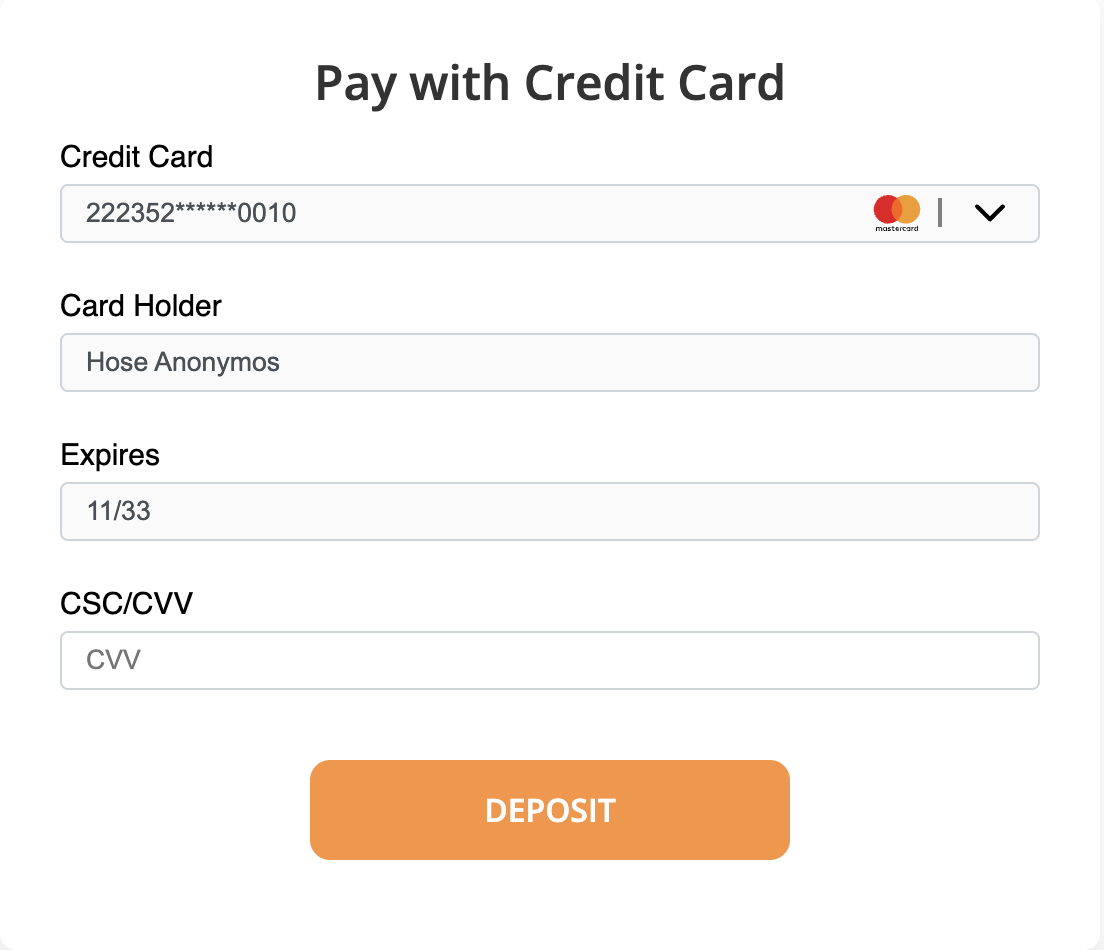
Rendered Hosted Payment Fields
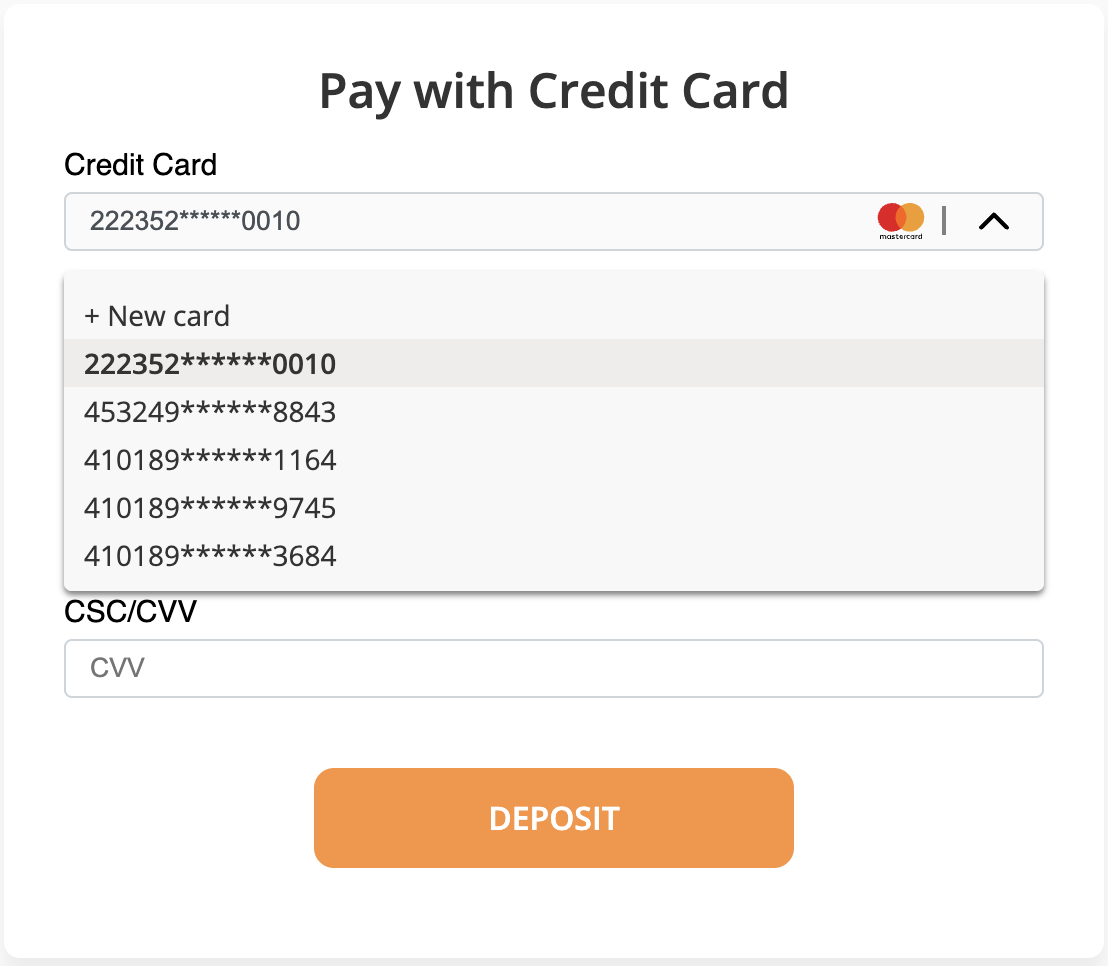
Rendered Hosted Payment Fields with a list of saved cards
Updated 3 months ago